Government
QR Code Queue Systems for Councils & Service Centres
Fair walk-in lines for civic service centres: multi-service desks, no hardware lock-in, and privacy basics for QR Tickets.
· Esperaly Editorial · 10 min read
Council service centres live under a different pressure than retail. Fairness is not a nice-to-have—it is part of the public mandate. People arrive for licensing, rates, housing advice, and “I was told to come in today,” often with uneven digital confidence and little patience for a system that seems to favour whoever shouts loudest at the desk.
A QR code queue system gives visitors a Ticket from their own phone, keeps order visible, and lets staff call the next person from ordinary browsers. No pedestal kiosk required. This guide covers why councils and service centres adopt QR queues, how multi-service desks stay fair, what “no hardware lock-in” means in practice, and the privacy basics you should settle before go-live. For product context, see Esperaly for government.
Why paper and “who was next?” fail in public service
Walk into a busy civic centre at 10:15 after a rates notice mail-out and you can predict the scene: a cluster at reception, someone insisting they arrived earlier, a supervisor mediating from memory, and a TV showing a municipal logo instead of who is being served. Paper tickets help until they tear, get left on chairs, or get photocopied by someone gaming the line.
Staff absorb the conflict. Every dispute is a minute not spent serving. Every unclear line between “licensing” and “general enquiry” becomes an argument about who jumped whom. The operational failure is not unfriendly people—it is an invisible queue.
Digital Tickets fix the visibility problem. Visitors see their place. Displays show who was called. Supervisors can audit order when someone escalates. That audit trail is as important as speed in a public-facing environment.
What a QR queue looks like on the floor
The visitor journey should be boring in the best way:
- Scan — a poster or desk stand shows a QR code that opens the join page in the phone browser. No app store.
- Choose a Service — licensing, payments, advice, or whatever map you publish. Clear names beat clever internal codes.
- Hold a live Ticket — place in line updates while they sit, stand, or step outside briefly.
- Get called to a Counter — staff pull the next Ticket for the Services their window handles. A waiting-area screen can echo the call for people who put the phone away.
Reception can still issue Tickets on a tablet for visitors without a usable phone, low battery, or accessibility needs. QR is the default path, not a purity test. The fairness model stays the same either way: one Ticket, one place in line, one call. This is that join screen on a tablet—two example civic desks, not real brands:
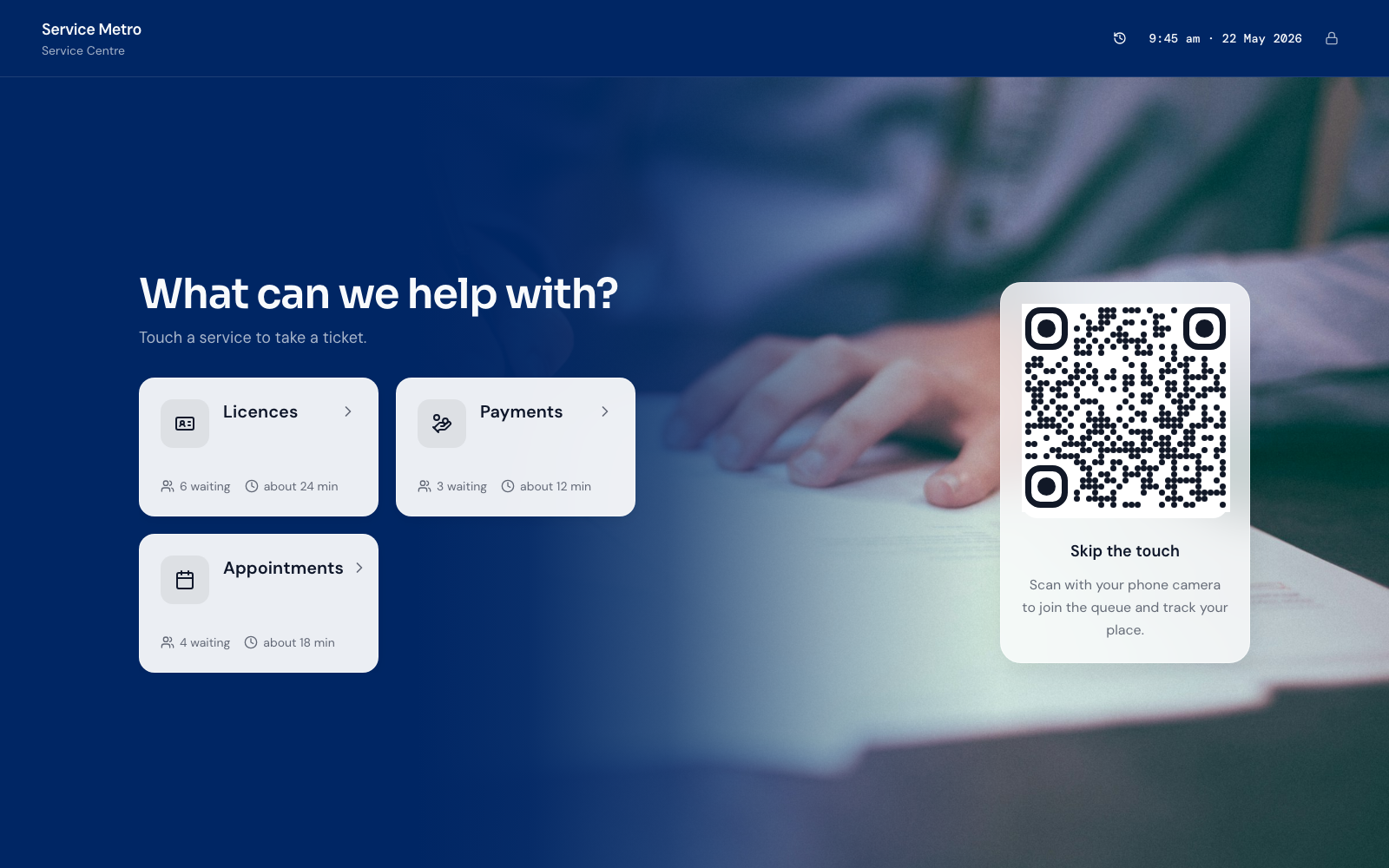
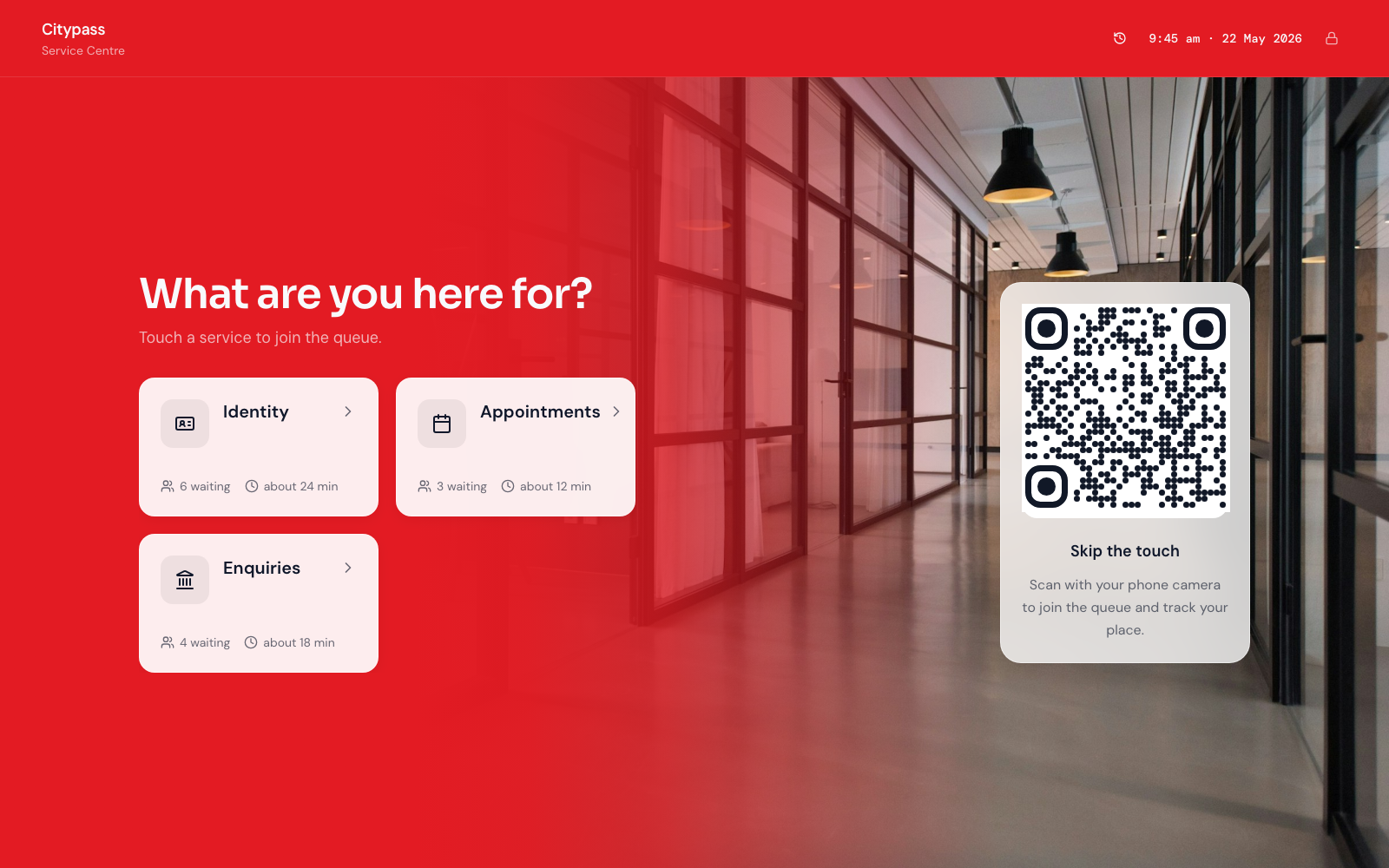
If you want the same loop without a municipal frame, the live demo shows join → wait → call on everyday devices.
Fairness is the product
In a council context, “fair” usually means:
- First-come order within a Service, unless policy says otherwise
- Transparent exceptions (priority, appointments, returns)
- No silent queue-jumping at the desk
- A way to explain the order when challenged
QR Tickets support that by timestamping joins and showing position. Staff transfers should be explicit—“moved to licensing”—not a whispered rewrite of the list. If your policy allows priority Tickets (for example, accessibility or time-sensitive payments), name that policy in plain language on the join screen and train staff to apply it the same way every time. Inconsistent exceptions destroy trust faster than a slow line.
Fairness also means not pretending one mega-line is equal. A five-minute payment should not always sit behind a forty-minute complex advice visit. That is a Service design problem, not a QR problem—and it is where multi-service desks earn their keep.
Multi-service desks without chaos
Most service centres are not one queue. They are several demands sharing a building: licensing renewals, general enquiries, document lodgement, maybe a separate payments window. QR systems shine when Services map to how the public already thinks, and Counters map to who can actually serve them.
Design Services for the citizen, not the org chart
Use names people recognise from the letter or website. “Rates payment” beats “REV-03.” Limit the list. Eight unclear buttons create wrong-line Tickets and angry transfers. Three to six well-described Services usually outperform a taxonomy that mirrors every internal team.
Assign Services to Counters deliberately
Some windows are specialists; some are generalist. Encode that in software so a licensing-only Counter never sees the wrong Ticket as “next.” When load shifts—renewal week—you temporarily assign more Counters to that Service instead of inventing a side list on paper.
Transfer instead of restart
Wrong Service selection will happen. Train staff to transfer the Ticket with context, preserving arrival fairness where policy allows. Making someone scan again and go to the back is how you teach the public to argue at reception instead of trusting the system.
Publish what “open” means
If advice closes at 3:00 p.m. but payments continue, the join page should not cheerfully offer a dead Service. Stale menus create Tickets you cannot honour. Operational hygiene is part of fairness.
No hardware lock-in: why councils should care
Legacy queue vendors often bundle pedestal kiosks, ticket printers, and proprietary media players. Those can work—and sometimes a printer still helps for visitors who want paper. The trap is software that only works with one vendor’s plastic.
A browser-based QR queue runs on:
- Visitor phones for join and Ticket status
- Staff PCs or tablets already on the desk
- Any HDMI screen or spare tablet for a waiting-room board (browser in fullscreen)
- Optional reception tablet as a staffed join point—not a mandatory kiosk purchase
Procurement teams care about this for three reasons. First, capital budget: you can pilot without a hardware tender. Second, replacement cycles: a dead kiosk should not strand the whole queue product. Third, accessibility and contingency: if the poster QR is damaged, reception can still issue Tickets on a normal device.
For a deeper cut on when specialty devices are worth it, read do you need expensive queue hardware?. The short version for councils: start software-first; add printers or rugged join tablets only where a measured need appears.
Displays, announcements, and the quiet room
Public waiting areas improve when people are not forced to hover. A simple board that shows “now serving” and Counter labels reduces reception interruptions. Keep it readable from across the room. Avoid turning the display into a marketing carousel that hides the Ticket number.
Audio announcements are optional. Some centres need them for accessibility; others find them stressful. If you use voice, match the Ticket and Counter language on screen. Mixed vocabularies—“Window 2” on the board and “Counter B” from staff—create missed calls and rework.
Privacy note for displays: show Ticket codes and Counter names, not full personal details. The board’s job is flow, not broadcasting why someone is here.
Privacy basics before you go live
Queue systems sit at the front door of public service. Even a lightweight Ticket product touches personal data if you ask for it. Settle the minimum viable join form early.
Collect only what you need to serve
Many centres can run with Service selection and a Ticket code alone. If you need a name or reference number to prepare the file, say why on the screen. If you do not use the field operationally within minutes of the call, drop it.
Be careful with contact details
Phone numbers enable SMS reminders—and create retention, consent, and spam obligations. If messaging is not funded and staffed as a programme, do not collect numbers “just in case.” Browser Ticket updates often cover the wait without storing a mobile number.
Define retention
How long do Tickets and join fields live? Operational analytics rarely need lifelong personal archives. Align retention with your information governance policy and delete or anonymise on a schedule you can explain.
Access control for staff
Not every employee needs every report. Counter staff need to call the next Ticket. Supervisors need transfer and override tools. Treat admin access like any other civic system: least privilege, named accounts, no shared “front desk” password on a sticky note.
Accessibility and assisted join
QR-only with no assisted path excludes people. Keep a staffed join option, large-print instructions near the poster, and a process for visitors who cannot use a personal device. Fairness includes access, not only order.
This article is operational guidance, not legal advice. Have your privacy or records officer review the join fields and retention settings before public launch—especially if you expand beyond a Ticket code.
Peak days, mail-outs, and surge staffing
Councils do not have flat demand. A letter about renewals or a benefits deadline can double morning arrivals overnight. QR queues help surges in three ways:
- Truthful length — visitors see the wait and may return at a quieter time when policy allows.
- Fast Counter reassignment — open more windows for the hot Service without reprinting paper pads.
- Data for the next mail-out — you learn which hour broke and can staff the next campaign with evidence.
Pair that with capacity maths. If utilisation is already above ~85% in the busy hour, a QR code will not invent desks—see how many counters do you need and the wait-time estimator. Software makes the shortage visible; rostering still has to respond.
Change management for public staff
The technology is the easy part. The habits are the work:
- Train on “call next,” transfer, and no-show—not on every admin screen
- Agree who may reorder or priority-tag, and log those actions when possible
- Put the QR poster where the queue actually forms, with a short “how to join” card in plain language
- Run a quiet morning pilot before the first big mail-out week
- Brief reception on assisted join so QR never becomes a barrier
Supervisors should practice one escalated complaint: show the Ticket time, explain the Service line, and demonstrate the call. Confidence in the story matters as much as the feature.
What “good” looks like after 30 days
You are winning when:
- Reception disputes about order drop noticeably
- Wrong-Service joins fall as names and posters improve
- Peak days are staffed from Ticket data, not folklore
- Hardware spend stays optional—phones and existing PCs carry the load
- Privacy fields stay minimal and retention is documented
You are struggling when staff keep a parallel paper list “just in case,” or when every exception happens off-system. Kill the shadow queue or the digital one will never be trusted.
How Esperaly fits (lightly)
Esperaly is built around Tickets, Counters, and Services for physical waiting lines—including council and service-centre floors. Visitors join from a QR code in the browser; staff call from everyday devices; displays run without proprietary players. Pricing is per Counter with unlimited staff users, which matches how centres actually open and close windows. Explore the industry page for government queues, check pricing, or try the live demo before involving procurement in a long RFP for features you will not use.
Bottom line
QR code queue systems give councils a fair, visible walk-in line without forcing a kiosk purchase. Design Services citizens understand, assign them to the right Counters, keep assisted join for those who need it, and treat privacy as part of the build—not a retrofit. Fairness is the mandate; the QR code is just the door handle.