Beauty
Tattoo Studio Queue Management: Calm Flash & Piercing Walk-Ins Without a Notebook
How tattoo studios and piercing shops run fair walk-in Ticket lines—Services for flash, piercing, jewellery, and consults, Counters, QR join, and an honest split from studio OS and booking tools.
· Esperaly Editorial · 10 min read
Flash-day Saturday at a busy tattoo studio looks the same in every city: someone hovering by the door asking “how long?”, an artist mid-session interrupted for the third time, and a notebook that only the front desk trusts. Walk-ins and flash shoppers are revenue. Invisible walk-ins are friction. That is the job tattoo studio queue management is supposed to solve—not another booking calendar, POS, or waiver suite dressed up as a line.
This guide is for tattoo studios, piercing shops, and mixed ink / flash floors that take a real share of same-day traffic. You will get a Ticket, Counter, and Service model that matches how people already ask at the desk, a practical floor setup on devices you already own, and an honest split from studio OS tools (deposits, artist calendars, consent forms). Hair and nail walk-ins are a different Service map—use salon queue management software. Treatment-room lounges live in spa queue management. Beauty context sits on Esperaly for beauty & wellness.
What tattoo studio queue management actually does
Strip the category to the loop that matters when the lobby is full and short piercings share seats with flash shoppers:
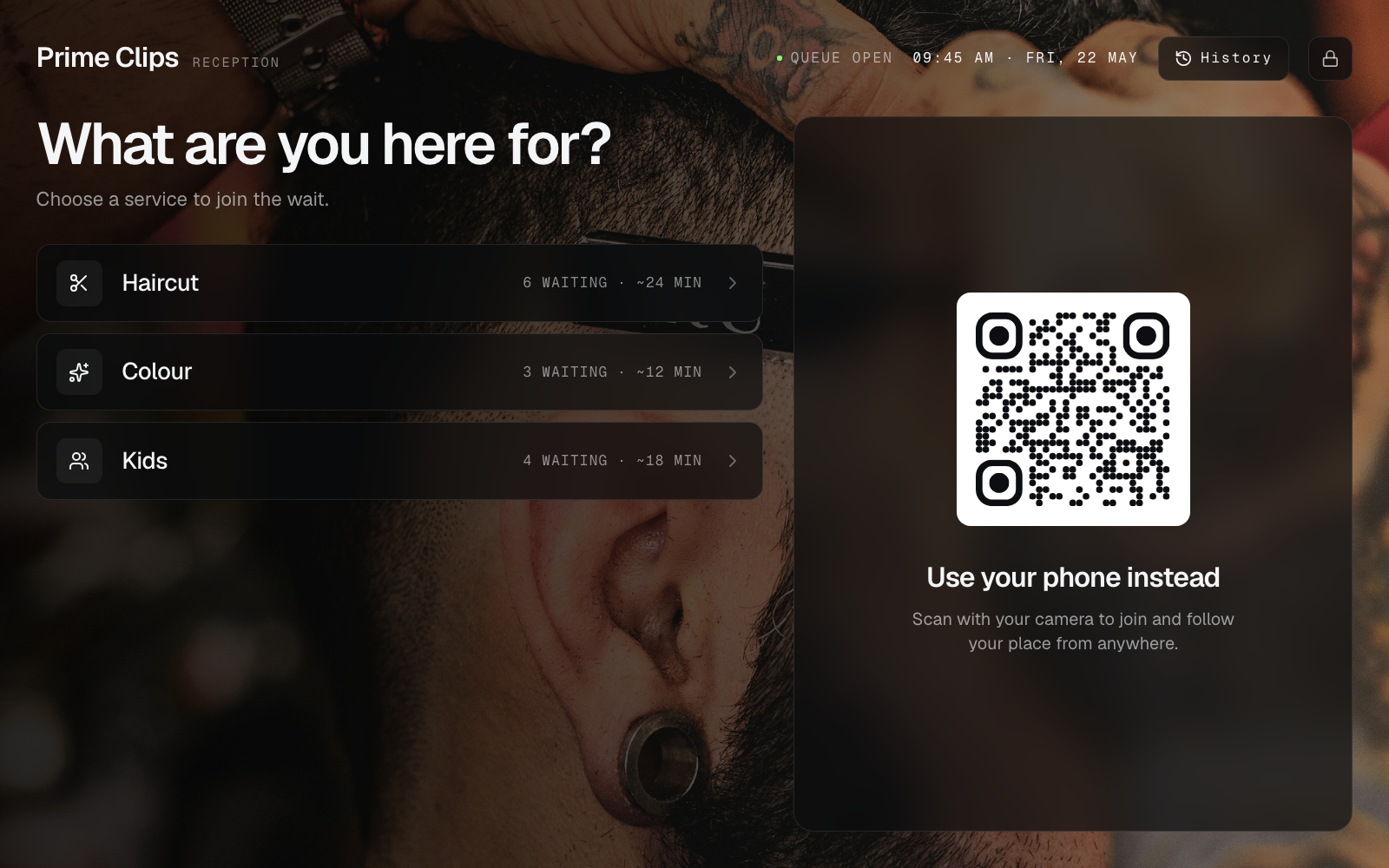
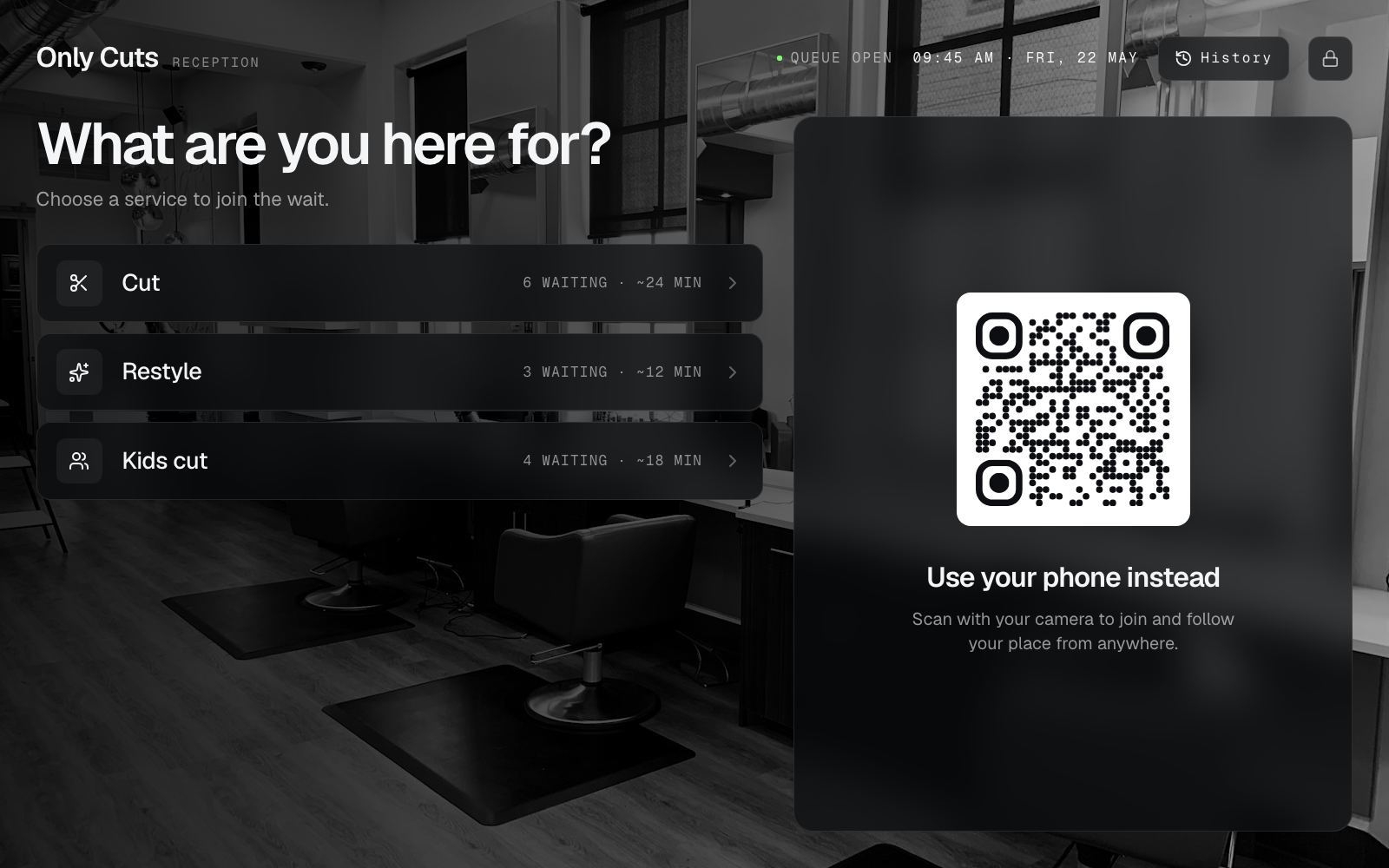
- A client joins with a Ticket (phone QR at arrival, or a tablet at the front desk)
- They choose a Service that matches real need—flash / walk-in tattoo, piercing, jewellery change / aftercare, consult / design talk, or pickup / touch-up check—not an internal SKU code
- Staff call the next Ticket at a Counter (an artist station or piercing chair that can take the next person for the Services it covers)
- The floor stays informed—on the phone Ticket and, optionally, a now-serving board near the seats
If a vendor cannot show that loop without a sales deck about deposits, portfolio CMS, or a full studio OS you did not ask for, you are shopping for a different category. The live demo is the fastest way to see join → wait → call on everyday devices.
Why the notebook (and “who was next?”) fails on ink floors
Paper waitlists and Instagram DM “put me down” threads work until two people arrive at once, someone steps out for coffee, or a regular expects to skip because they “always come on Saturdays.” The conflict is not personality—it is an invisible order. Artists absorb it as interruptions. Front desk absorbs it as mediation. Clients absorb it as “this shop feels chaotic,” which is a branding problem as much as an ops problem— especially when a five-minute lobe piercing sits behind a two-hour custom consult that never should have shared one whispered list.
Digital Tickets make order visible. Clients see place in line for the Service they chose. Staff see who is next for each Counter without guessing across stations. When someone challenges fairness near the door, you have a sequence to point at instead of memory. That alone often pays for the tool on a single flash-day peak.
For the broader trade-off between phone-based waits and classic walk-in tickets, read virtual queue vs walk-in ticket queue. Tattoo and piercing desks usually want both: people free to wait in the car or a quieter corner when policy allows, plus a clear call when a station opens—without turning the lobby into an unmanaged free-for-all.
Map the floor with Services and Counters
Tattoo queue projects fail when teams invent eighteen Services nobody will tap, or when they collapse every ask into “walk-in.” Start with the jobs that actually change wait length or which artist / piercer can help.
Services that match how clients actually ask
- Flash / walk-in tattoo — often the flash-day volume driver; should not sit behind a long custom consult if you staff them separately
- Piercing — usually shorter chair time; needs a trained piercer Counter so it does not poison a single rope with multi-hour ink
- Jewellery change / aftercare desk — short handoffs that should not block flash or piercing Counters when volume is high
- Consult / design talk — mid-length conversations that need an artist free to sketch, not a piercing chair mid-session
- Touch-up check / pickup — brief returns that break fairness when mixed into one rope with first-time flash
- General enquiry / shop hours — questions that should not steal every open Counter from paid work
Keep names client-facing. People will not tap “INK-OPS-03.” If you only have one open station, you can still use Services for reporting and fairness even when every Ticket is called from one Counter.
Counters that match how you staff the floor
- One Counter per open artist or piercer when they run their own Call Next
- A shared “next available station” Counter when anyone free takes the next Ticket of a given Service
- A short jewellery / aftercare Counter when those asks should not block flash or piercing work
Capacity planning for stations is the same maths as any walk-in line—see how many Counters do you need and sanity-check wait assumptions with the wait time estimator. Splitting Services too early creates empty chairs; waiting too long creates the classic “piercing stuck behind a custom consult” complaint. The companion guide on when to split queue Services helps you decide. Multi-station handoff patterns are covered on multi-counter.
Floor setup without proprietary lobby hardware
You do not need a manufacturer kiosk tower to calm a studio lobby. Most shops already have a tablet, a spare laptop, and phones clients bring themselves—even when their hands are full of reference photos.
- Join — print a QR for QR join at the entrance, on a door card, or at the front desk; optional tablet for visitors who prefer not to use their phone
- Call — Counter view on the artist laptop or a tablet at the station; Call Next when a Counter is free
- Inform — phone Ticket status for clients waiting in the car or reviewing flash; optional browser waiting-room display if the lobby needs a shared board (see also queue display board software)
Browser-based tools beat “buy our pedestal” pitches for most single studios and small multi-artist shops. If someone insists you cannot run a fair line without specialized ticket printers, read do you need expensive queue hardware. Hardware-heavy customer-flow suites can be the right buy for a large multi-floor programme; a single studio usually needs Service-tagged Tickets and Call Next first—see Qmatic alternative for walk-in desks and NextMe alternative for walk-in desks when that evaluation is on the table.
Keep booking, waivers, and POS in their lane
Tattoo studio queue software organises who is next. It does not replace your booking calendar, deposit tool, consent / waiver forms, inventory, or POS. Clients still complete forms and payments in the tools you already trust; the Ticket only answers “whose turn is it at this Counter?”
That boundary matters when vendors blur categories. Same-day appointments and studio waitlist apps can shorten peak crowding—but they are not the same product as a walk-in Ticket line for people already holding flash sheets in the lobby. Enterprise journey suites sold for multi-branch retail can be the right buy for a large group; a single studio usually needs Service-tagged Tickets and Call Next first. If you are evaluating Waitwhile-, Qminder-, or NextMe-shaped tools for a larger programme, start with Esperaly vs Waitwhile, Esperaly vs Qminder, and NextMe alternative for walk-in desks—then keep the local floor on a Ticket / Counter model you can staff this week.
Esperaly is Ticket / Counter / Service flow—not a tattoo studio OS, not a waiver platform, and not an appointments engine. Keep booking tools for multi-hour custom sessions that need a reserved chair. Use the queue for the walk-in lobby so piercings and flash are not one shouted name list.
Collect less PII on the Ticket itself; privacy basics for QR joins are in QR Ticket privacy basics. Do not turn join into a mini CRM harvest just because the client already has a profile in another system—and never treat the Ticket board as a place to display medical notes or ID numbers.
A practical week-one rollout
Ship a thin loop before you decorate the door with six QR stands:
- Morning — name four Services (flash / walk-in tattoo, piercing, jewellery / aftercare, consult) and open Counters for the stations you will staff today
- Afternoon — print one QR; put Counter view on the desk or station tablet; brief artists and front desk on Call Next and “no shadow notebook”
- Quiet hour — staff join test Tickets, call them, confirm any board matches
- First peak day — run live with one lead watching for whispered side lines; kill the paper stub list the same day
- End of week — review abandonments, average wait by Service, and whether clients misunderstood Service names
For a generic launch checklist, reuse set up a digital queue in under an hour. Studio-specific work is mostly naming flash vs piercing vs consult Services and deciding how booked custom sessions interleave with the walk-in floor. Train staff on the call habit with staff training: call next Ticket. If walkaways after join are your pain, pair the rollout with reducing walk-in queue no-shows.
What to evaluate before you buy
Score vendors yourself. Useful questions for owners and floor leads:
- Can a client join in under a minute without installing an app—even with a phone full of reference photos?
- Can staff answer “who’s next for piercing?” on one screen while flash and jewellery stays visible?
- Does pricing follow desks/Counters, or per-user seat taxes you will resent by month two?
- Can you go live this week on devices you already own?
- Does the vendor pressure you into proprietary kiosks, a studio OS rewrite, or a deposits programme before the floor queue works?
- Are they honest that waivers, booking, and POS stay in your existing tools if those already work?
Run the monthly cost against your station count with the queue cost calculator. Skip vanity feature theatre—the companion post what to ignore when buying queue software still applies behind a studio rope. For a wider SMB shortlist shaped around walk-in desks (not another “best of” clone of this article), see the best queue management software for small business guide. Pricing context lives on queue management system price and Esperaly pricing.
When to wait before buying
Queue software is the wrong first project if:
- Shop Wi‑Fi cannot keep a phone or tablet online at the stations
- Leadership has not decided how short piercings interleave with flash and consults
- The real pain is a broken booking workflow, missing consent forms, or payment failures—not the crowd at the door
- Nobody will own Call Next habits for the first flash-day week
Fix those first. A clean Ticket system with no owner becomes optional decoration by the next walk-in rush.
Get a calmer tattoo studio queue this week
Tattoo studio queue management earns its keep when clients know their place, artists stay on the station that matches the ask, and the lobby stops mediating memory. Start with clear client Services, honest Counter capacity, and a QR arrivals can scan without a lecture.
When you are ready to test with your real Service names, start a 14-day trial or explore beauty & wellness positioning. Prove join → wait → call on one quiet midweek afternoon. If that loop feels obvious to your floor team, you have the right class of tool.