Use case
Show who’s being served on any browser TV
Turn a smart TV or cheap stick into a live waiting-room board. No proprietary player—just open a display URL and leave it running.
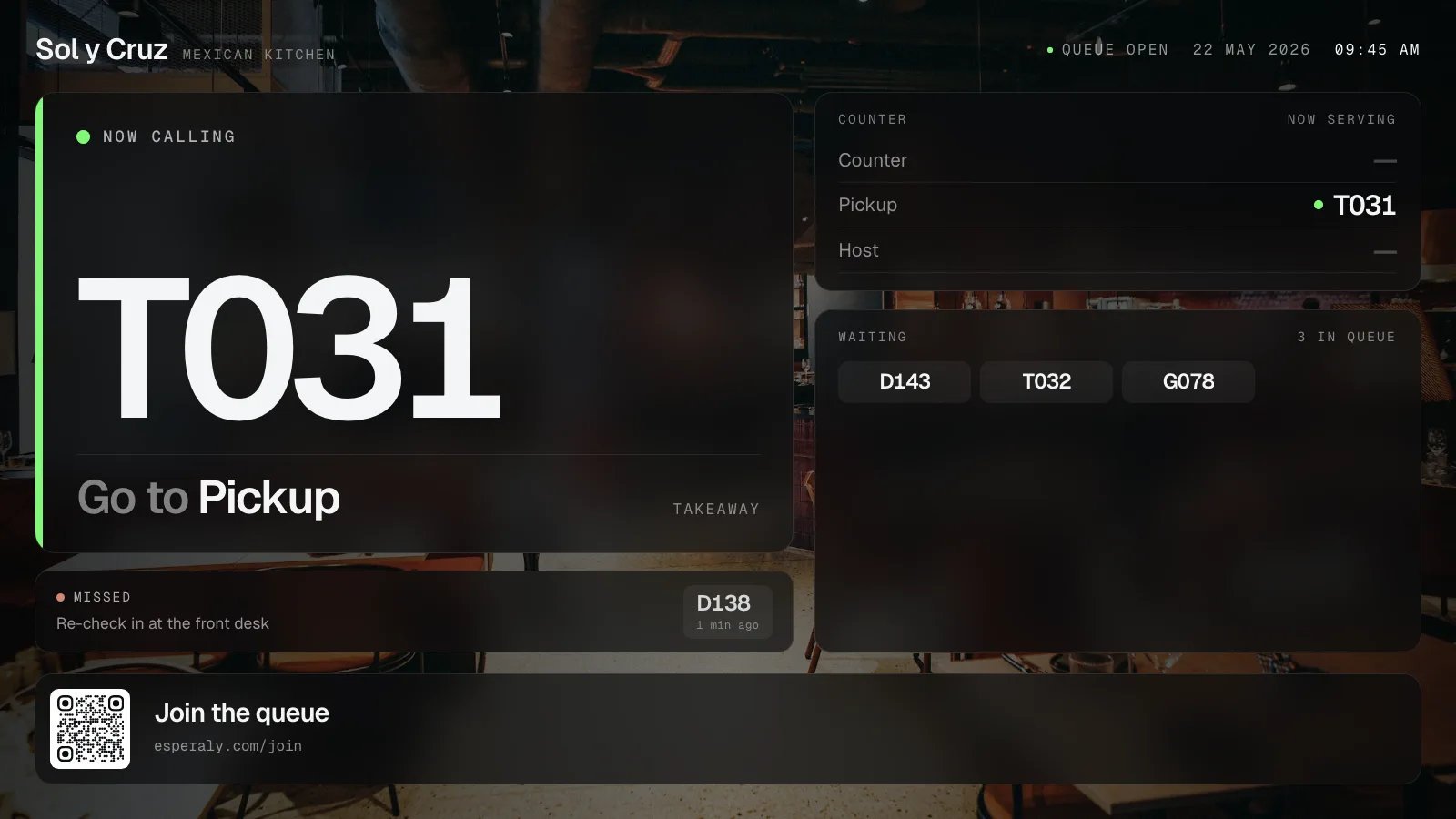
Phone Tickets help individuals. A room display helps everyone who is watching the wall: families, people without phones, and staff who glance up between Counters.
Esperaly displays run in a normal browser. Point a TV browser, Chromecast-style device, or spare laptop at your display link. It shows the Tickets being called and served for the Services you assign.
Pair it with QR join and phone Tickets when you want both personal status and a shared room view. Pricing stays per Counter—not per screen.
How it works
Open the display URL
On a smart TV browser or a small computer plugged into HDMI, open your Esperaly display page and go full screen.
Assign Services
Show the queues that matter in that room. Multi-Service desks can keep related Tickets visible together.
Staff call as usual
Counters call Tickets from the dashboard. The TV updates with the same live state visitors see on their phones.
Problems this solves
- Legacy waiting-room screens only work with one vendor’s player box
- Staff shout Ticket numbers because nothing on the wall is trustworthy
- You already own a TV and do not want another specialised appliance
- Phone-only updates leave visitors without a shared room cue
Who it’s for
- Clinics and councils with a shared waiting area
- Automotive and retail service desks with a wall-mounted TV
- Any site replacing a locked-in display appliance
What changes day to day
Use the TV you have
Browser-capable displays are enough. Skip proprietary waiting-room hardware.
Room-wide clarity
Anyone facing the screen can see progress—even if they are not looking at a phone Ticket.
No per-screen licence theatre
Esperaly bills by Counter capacity. Extra displays do not invent a new seat tier.
All use cases · Pricing · Home