Restaurants
Restaurant Waitlist Queue Management: Calm the Host Stand Without a Clipboard
What a restaurant waitlist is—and how dining rooms run a fair walk-in line by party size, with QR join and a host-stand call-next. Not a reservation system.
· Esperaly Editorial · 10 min read
Saturday dinner service looks familiar everywhere: a packed doorway, a host juggling a paper list, and three parties asking “how long?” while a two-top frees up in the corner. A restaurant waitlist is simply a fair same-night line for those walk-ins—usually by party size—so the next table goes to the next matching party, not the loudest one at the door. That is the job restaurant waitlist management is supposed to solve—not a reservation OS rewrite, not a loyalty platform, and not another appointments calendar with a waitlist bolted on.
This guide is for casual dining rooms, busy brunch spots, neighbourhood bistros, hotel restaurants, and high-volume dinner services that run real same-night walk-in traffic at the door. You will get a clear Ticket, Counter, and Service model (often party sizes), a practical host-stand setup, and an honest split between queue software and the booking tools you already use. For industry context, see Esperaly for restaurants.
What restaurant waitlist queue management actually does
Strip the category to the loop that matters when the dining room is full and walk-ins keep arriving:
- A guest joins with a Ticket (phone QR at the host stand, or a tablet at the door)
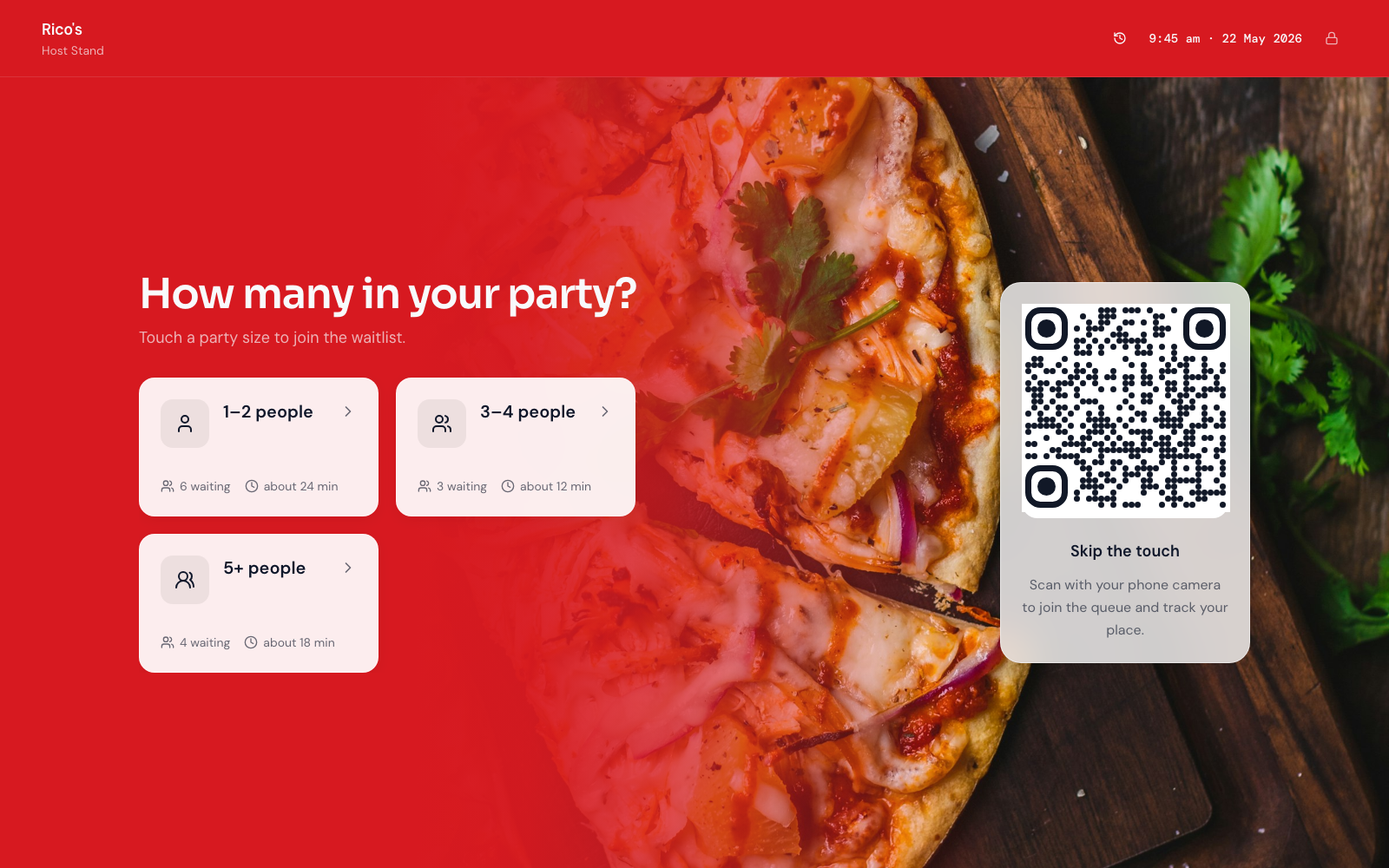
- They choose a Service that matches real seating need—party size bands like 1, 2–3, 4–6—not internal section codes
- Staff call the next matching Ticket at a Counter (the host stand or seating station that can take the next party)
- The doorway stays informed—on the phone Ticket and, optionally, a small lobby board
If a product cannot show that loop without a sales deck about full floor plans, AI table assignment, or a reservation CRM you did not ask for, you are shopping for a different category. The live demo is the fastest way to see join → wait → call on everyday devices.
Why the clipboard (and shouted names) fails at peak
Paper lists and name-shouting work until two parties arrive together, a four-top opens while a couple waits nearby, or someone claims they were “next” because they hovered longest. The conflict is not personality—it is an invisible order. Hosts absorb it as constant interruptions. The doorway absorbs it as a crowd that blocks fire exits and neighbouring shops. Guests absorb it as “this place feels chaotic,” which is a first impression problem as much as an ops problem.
Digital Tickets make order visible. Guests see place in line. Hosts see who is next for each party size without guessing across a scribbled page. When someone challenges fairness, you have a sequence to point at instead of memory. That alone often pays for the tool on a single busy Saturday— especially when different party sizes share one doorway.
For the broader trade-off between phone-based virtual waits and classic walk-in tickets, read virtual queue vs walk-in ticket queue. Restaurant host stands usually want both: guests wait at the bar, outside, or nearby while holding a Ticket, then return when a table that fits their party is free.
Map the door with Services and Counters
Restaurant queue projects fail when teams invent twelve Services nobody will pick, or copy fine-dining reservation language onto a simple walk-in door. Start simple and match how guests actually answer “how many in your party?”
Services that match real party sizes
- 1 person — solo diners; often the easiest match to a bar seat or deuce
- 2–3 people — the bulk of many walk-in nights; wrong to bury inside a generic “waitlist” Service
- 4–6 people — longer waits; should not sit behind a never-ending stream of two-tops if your tables turn differently
- Larger groups — when you still accept them as walk-ins; often a separate Service so hosts can plan honestly
- Bar / high-top only — only if that stream is truly different from a dining-room table wait
Prefer names a guest would tap without asking staff to translate. If two Services always share the same wait and the same tables, merge them. Split only when the wait or table-fit path is genuinely different—similar to how multi-desk teams use multi-counter setups.
Counters as seating capacity, not “user seats”
In Esperaly terms, a Counter is capacity that can call the next Ticket—usually the host stand, sometimes a second seating station on a big floor. You are buying capacity, not a login. That maps cleanly to restaurant maths: run one Counter on a quiet Tuesday, open a second on Saturday if two hosts seat independently. Details live on pricing.
If you are still guessing how many hosts you need at peak, work arrival and seating-time numbers with how many counters do you need and the wait-time estimator. “We have three people on the floor” is not the same as “we have a Counter free to call the next walk-in right now”—someone may be running food or resetting a table.
QR join vs tablet at the host stand (use both)
Most dining rooms should default to QR join and keep a tablet as backup:
- QR at the host stand and outside the door — guests scan, pick a party size, hold a live Ticket. No app store. See QR join.
- Door tablet — for empty batteries, accessibility needs, or guests who prefer staff to issue the Ticket.
- Phone Ticket as the waiting room — guests can wait at the bar, in the car, or around the block. Pair with phone tickets.
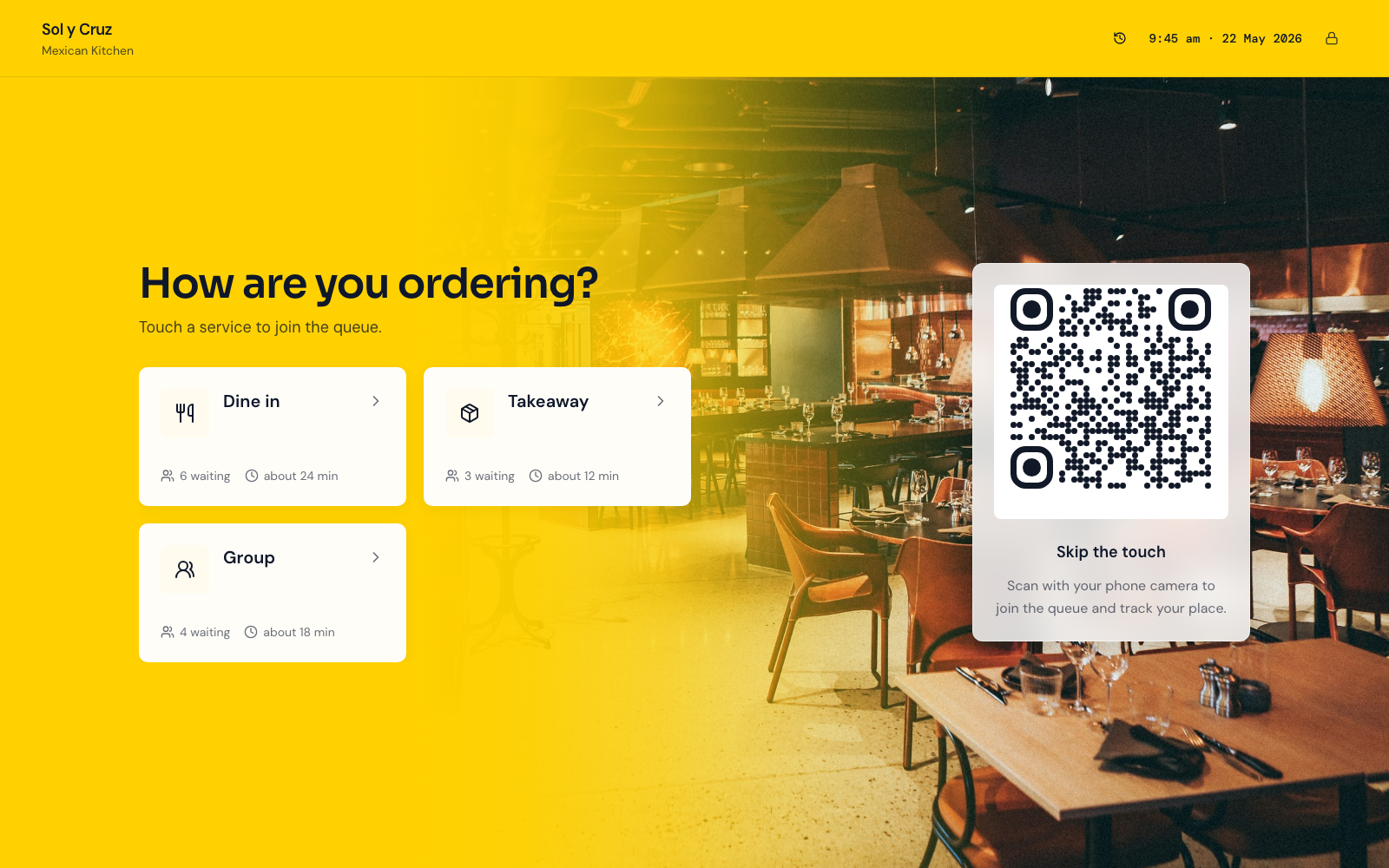
You do not need a pedestal kiosk on night one. A printed QR and a tablet you already own is enough—covered in do you need expensive queue hardware. That is also why restaurant waitlist tools should not force a proprietary dispenser before the join → call loop works. This is the join screen on that tablet—example host stands, not real brands:
A small lobby board without turning dinner into an airport
A calm board helps when the doorway is noisy, phones stay in pockets, or parties share one screen. Keep it hospitable:
- Show who was called and who is next—not a wall of promo carousels
- Use a TV or tablet you already mount near the host stand
- Avoid flashing “now serving” theatre that fights a calm dining-room brand
- Match the same Ticket numbers staff see on the Counter screen—see waiting-room display and queue display board software
The display is a fairness mirror, not a second product. If the host call and the board disagree, guests will trust neither.
Walk-in waitlists vs reservation tools (keep the boundary)
Many restaurants run booked covers and walk-ins on the same night. That does not mean one vendor must own every system. Reservation tools excel at advance tables, deposit policies, and guest profiles. Queue tools excel at fair same-night order when people show up without a perfect slot—or when walk-ins pile up while a reserved table is still finishing dessert.
Esperaly is Ticket / Counter / Service flow—not a reservation CRM and not a POS rewrite. It will not replace table deposits, guest profiles, or a restaurant booking book. Keep that tool for named covers. Use a digital waitlist for the doorway line (and for overflow when a no-show frees a table you can offer to the next matching party). The host’s job is to interleave: a reservation at their time; a walk-in holding a Ticket until a table that fits their Service is free.
If you are evaluating Waitwhile-style tools that lean into waitlists plus messaging, compare the fit notes on Esperaly vs Waitwhile. For a broader SMB checklist without a fake #1 trophy, use the small-business buyer guide—the same honesty applies to a single dining room shopping for software. Collection-counter venues (cafés, food halls) are a related but different pattern—see hospitality.
Host rules that keep seating calm
Software fails when habits stay sticky-note. Agree on a few rules before go-live:
- One call path — only the Counter screen (or a named host) calls the next Ticket. No competing “I’ll take them”
- Match party size on purpose — call the next Ticket that fits the free table; do not invent a side list for “friends of staff”
- Pause when the floor cannot seat — a full reset or kitchen delay is not “available”; do not leave a Counter open if nobody can seat
- Close the waitlist when you are full — better than a 90-minute phantom wait that burns trust on a Saturday night
- Train the loop, not the feature list — weekend hosts should know join → call → seat in five minutes
Reducing doorway hovering is mostly about clarity, not SMS theatre. Messaging helps when you measure abandonments and budget for it; it is optional until the visible Ticket order works. Do not buy a waitlist product because it promises to become your entire restaurant OS.
A same-week setup for a busy host stand
You do not need a four-week implementation. A realistic path:
- Morning 1 — name 2–5 party-size Services; decide which host stations are walk-in Counters tonight
- Afternoon 1 — print or stand a QR; put the Counter view on a phone or tablet at the host stand
- Quiet hour — staff join test Tickets, call them, confirm any board matches
- First peak — run live with one lead watching for shadow clipboards; kill the shadow list the same night
- End of week — review walkaways, abandonments, and whether party-size names confused guests
For a generic launch checklist, reuse set up a digital queue in under an hour. Restaurant-specific work is mostly naming party-size Services and deciding how hosts interleave reservations with walk-ins.
What to evaluate before you buy
Score vendors yourself. Useful questions for owners and head hosts:
- Can a guest join in under a minute without installing an app?
- Can staff answer “who’s next for a four-top?” on one screen?
- Does pricing follow desks/Counters, or per-user seat taxes you will resent by month two?
- Can you go live this week on devices you already own?
- Does the vendor pressure you into proprietary kiosks or a reservation rewrite before the waitlist works?
- Are they honest that bookings and POS stay in your existing tools if those already work?
Run the monthly cost against your host-stand count with the queue cost calculator. Skip vanity feature theatre—the companion post what to ignore when buying queue software still applies on a dining-room floor. If you are comparing Qminder-style multi-location desks, see Esperaly vs Qminder. For Qwaiting-style alternatives, see Esperaly vs Qwaiting.
When to wait before buying
Queue software is the wrong first project if:
- Wi‑Fi at the doorway cannot keep a phone online
- Leadership has not decided how walk-ins interleave with reserved covers
- The real pain is kitchen turn time or a broken reservation policy—not the doorway line at the host stand
- Nobody will own the host habits for the first busy weekend
Fix those first. A clean Ticket system with no owner becomes optional decoration by Friday of week one.
Get a calmer host stand this week
Restaurant waitlist queue management earns its keep when walk-ins know their place, hosts stay in the greeting, and the doorway stops mediating memory. Start with clear party-size Services, honest Counter capacity, and a QR guests can scan without a lecture.
When you are ready to test with your real Service names, start a 14-day trial or explore restaurant positioning. Prove join → wait → call on one quiet lunch. If that loop feels obvious to your team, you have the right class of tool.